

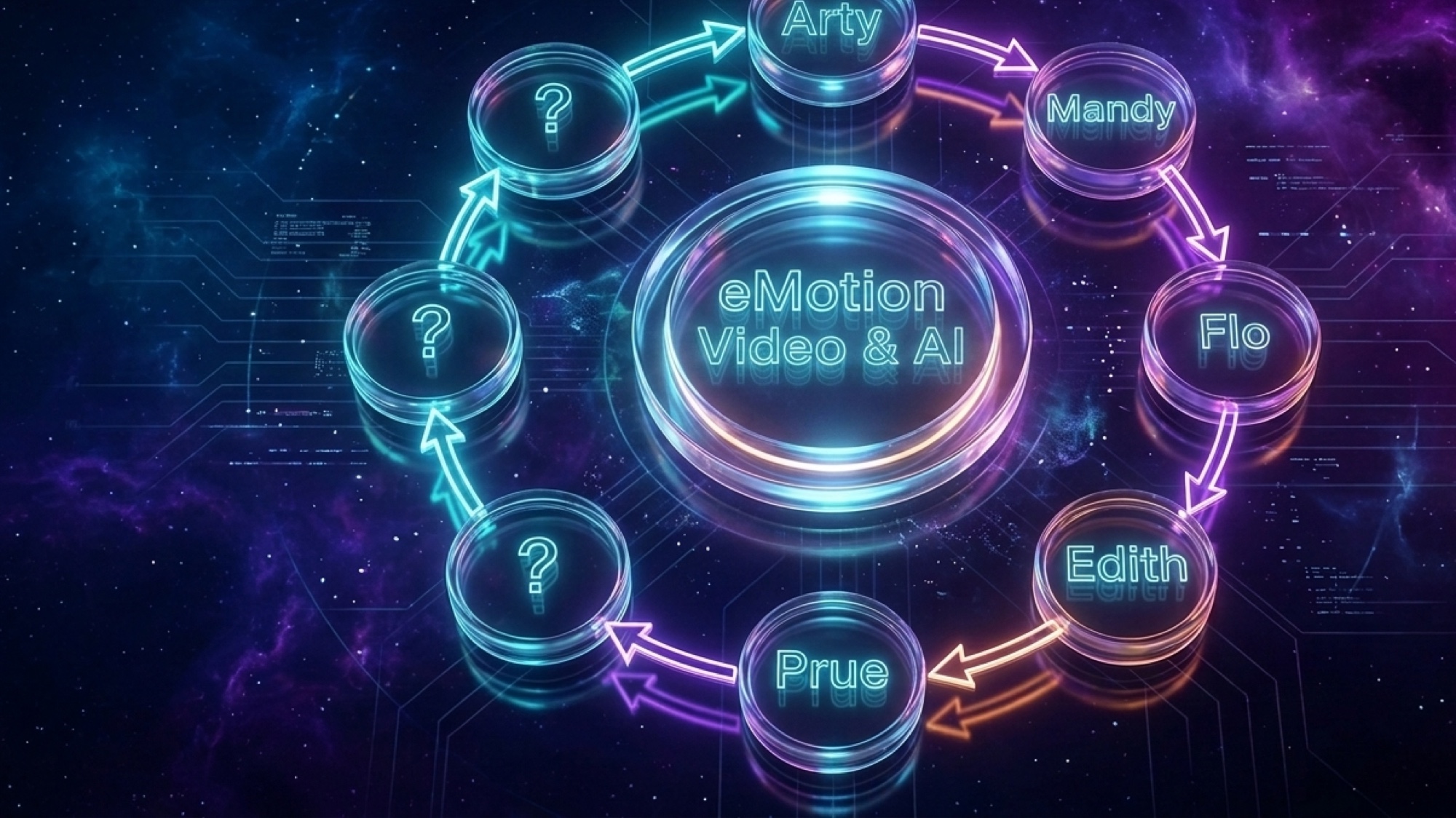
I'm not going to tell you I've built an AI system, because that sounds finished and mine isn't. What I've got is a pile of jobs I used to do by hand that something else does now, built one at a time over four months, and a queue sitting on my phone that proves how unfinished it still is.
So this is what I actually handed over, in the order I handed it over. Where I started, the thing that made the biggest difference, what I got wrong, and what it costs me to keep the whole arrangement running. Six lessons, in the order I hit them.
I'm writing it because nearly everything else I read described a finished machine somebody else had already built. Half-built is a more useful thing to look at, and it turns out half-built is already more than enough.
It started with one email
February this year. An enquiry landed in my inbox asking about video training for a group of Indigenous rangers in Arnhem Land.
Normally that's an hour of my afternoon. Who are these people, what do they actually do, who's the person writing to me, what would they need this training for, what have they already got. I'd have eight tabs open and a page of notes by the end of it.
Instead I pasted the email into Claude and typed: look into this potential client for me.
Four or five minutes later I knew everything I could about them. Who they are, what the person emailing me actually does in that organisation, which ranger groups they partner with, and enough about the work on the ground that I could write back like someone who'd bothered.
It went deeper than my hour of Googling would have. That's the part I didn't expect.
And yes, I check it. Every claim, every name, every number. I've had it be wrong. That habit isn't optional and it never becomes optional.
That's it. That's the whole beginning. No system. No agents. No dashboard (yet). One job I'd always done by hand, done for me instead.
Everything else grew out of that afternoon, and it grew in a particular order. The order is the useful part, so that's what I'm going to give you.

The pattern I can only see looking backwards
I didn't have a rule when I started. I had one email and an afternoon I wanted back.
Four months on, looking at what actually stuck, one thing is true of every single piece of it.
Lesson 1 of 6
Every job I handed over already existed in the business and already mattered. Look in your own week for the one that keeps getting dropped.
Not one of them was invented because the technology could do it. Every one was already on my list. The client research. The proposals. The chasing. All of it work I was doing badly or late or on a Sunday.
That's the difference between the parts that stuck and the parts I built once and never opened again, and there's A LOT of those behind me. The ones I abandoned were all clever. They just weren't jobs.
So if you want to skip four months: ask the AI what it can do, absolutely, that's how you find out what's on the menu. Then go looking in your own week for the thing that keeps getting dropped, and start there.
Then I looked at the rest of the inbox
The client research worked, so I went after the thing it was buried in.
I connected my Outlook. Read only. It could read my email and it could not touch anything, and that's still true today. I'm not comfortable going further and I'm not sure I ever will be.
Then I asked AI to create a daily routine out of it. Every morning it reads both mailboxes and tells me what's actually in there. Who I need to reply to today. Who can wait. A suggested reply for the ones that need one.
The suggested replies are still pretty bad. I use about half of them, but it gives me a thorough reply to start from. I'm telling you that because everyone else's article stops at "and it drafts my emails."
The useful bit is the other half. If the sender is somebody new, it does that same client research BEFORE I've spoken to them. The thing that started as a one-off in February now happens on its own, every morning, to anyone who writes to me.
Same job. It just stopped needing me to start it.
Then it turned out that routine could do more than one thing. It could watch for the replies I was waiting on, tell me when somebody had gone quiet past the point where I should have chased them, and draft the chaser.
And somewhere in there it stopped being a task and turned into a job.
A task
A thing you do once and it's done.
A job
A standing responsibility. A set of related things somebody owns. The sort of thing that would be in a position description if you were hiring for it.
That's what the morning email routine had quietly become: the job you'd give the person who looks after your correspondence and knows who you're waiting on.
So I gave it a name, because I'd started talking about it as a job and jobs are held by somebody. It's Flo. She keeps sales flowing smoothly.
That's the real origin of the first named agent in my business. Not a plan and not an org chart. One task that grew until it was a job, and then the name was just easier than describing it.
Lesson 2 of 6
A task becomes a job when somebody has to own it. Name it then, not before.

Plugging in the secret sauce, a database platform
Here's where it stops being about AI for a bit, and I need you to stay with me, because this is the part that actually did the work.
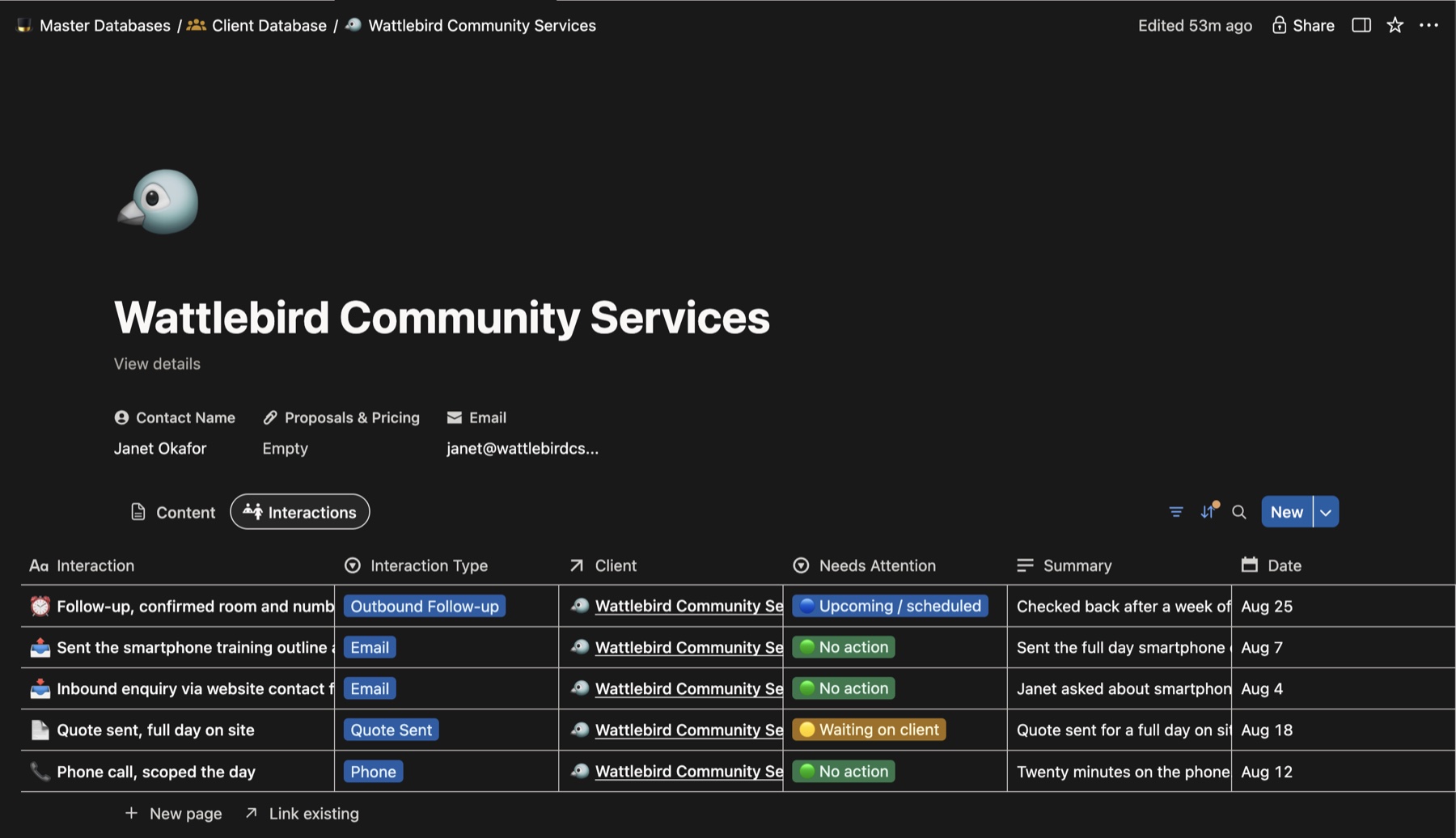
I'd been on Trello for years. It's fine. It's a good board. What it couldn't do was carry a client from prospect all the way through to the working stage without me duplicating files and then losing track of which version was the real one.
That's the word I wanted, by the way: canonical. Which is a word AI taught me. It means the one true version, the one everything else should agree with. Once you have a name for it you notice how often you don't have one. It's also the thing that fixes the single most common AI complaint I hear, and I've written that one up properly in an old note is still giving orders.
What I actually wanted was a modern Excel that links madly. One piece of information, connectable to a client. To the region they're in. To the training we've given them. To the videos we've made for them. Not filed in a folder. Linked.
AI only reveals what I ask.
Ask a good question, get a good answer, and everything you didn't think to ask stays invisible. I didn't want to interrogate my business. I wanted to look at it.
So I went looking for the best database for a business my size, and I read about it for longer than I'd like to admit. Notion was the standout, for one reason above all the others: it connects to all the big AI systems. If I was going to put my business somewhere, it needed to be somewhere my AI could actually read.
Then I downloaded it and, being cautious about a brand new platform, I didn't put a single piece of business data in it. I was planning a Europe holiday, so I put the cities and towns in instead.
It worked. Two linked databases, nine different views over the same information. Day by day. By country. By what it cost. Same data, laid out whichever way the question in my head needed it that morning. That was the point I understood what it could actually do.
Then I turned it on my company. The client database. The course schedules. Training stats. The photo and video library. The content calendar. The volunteering and in-kind work, which I could never account for properly before.
I hand-filled the first few forms into Notion myself, because nobody knows better than me how I wanted my information categorised. But now I'm typing NOTHING into Notion at all. It's maintained for me, and it's readable by every agent in the business, which is the entire reason the rest of this works.
Lesson 3 of 6
Your AI is only as good as where your information lives.
Connecting your AI to your computer
By April I'd installed the Claude app properly on my Mac, and it was a different animal to the browser window I'd been working in. More powerful for one specific reason: it could now control my computer, if I let it.
I had no idea where to start with it, and I was frightened. I'd heard what these things are famous for, and I didn't want it breaking or taking anything of mine. If that's where you are, the practical version of what to allow and what to withhold is in how to run AI safely on your computer.
So I didn't go looking for a clever first project. I typed:
What can I do in here?
I still think that was the right move. Asking the tool what you can use it for is about the safest thing you can do with something you don't understand yet. You're asking for a demo. Nothing of yours is at risk in a demo.
I mention it because that fear is the real blocker for most people, not the technology.
Lesson 4 of 6
Ask it what it can do. Then hand it one small thing you could undo, and watch.
April was also when the app itself changed under me, which was luck rather than planning. Up until then it answered me. From April it could do the task. That sounds like a small distinction but it isn't. It's the difference between asking someone how to do a video and having the video done for you.
Some of what cost me four months of evenings is now a feature you can switch on.

The ground kept moving
The same shift is happening again to a lot of people, and most of us feel like we need to keep up in silence. You can learn anything with the right support and enough time. What people are short of right now isn't ability. That's the same finding that came out of the regional digital skills programme I taught on, which I've written about in what $9 million bought in regional Queensland.
The hardest part of these four months wasn't difficulty. It was that the ground kept moving. What I learned on Monday was superseded by Thursday. Not improved, superseded. The thing I'd spent an evening working out no longer existed in that form.
And there was nobody to ask. That sounds like a complaint but it isn't, it's just a working fact about this moment. Everybody's AI experience is different enough that the advice doesn't transfer. Someone can tell you exactly how they did a thing and it won't work on your setup, with your tools, on your machine.
In the end my position was this: it's faster to sit in front of the computer and break it than it is to ask somebody to show you how to do it.

When you're lost, screenshot it and ask what it means
When the AI puts something in front of me that I don't understand, I take a screenshot of it, paste it straight back in, and ask: what do you mean by this?
Then I get the explanation and the suggestion, and I make an informed decision from there.
Which is fine right up until you realise you've never taken a screenshot and have no idea how 😂
On a Mac
1. Hold down Command Shift 4 together, then let go.
2. Your pointer turns into a little plus sign. Click and drag a box around the part of the screen you want, then let go.
3. A small picture of what you grabbed drops into the bottom right corner of your screen.
4. Drag that little picture straight into the chat with your AI and drop it in the message box.
It only waits in the corner for a few seconds. Rest your pointer on it and it stays there until you are ready. Miss it altogether and the picture has saved itself to your desktop, so you can drag it in from there instead.
On a Windows PC
1. Hold down Windows Shift S together.
2. Your screen dims and a small toolbar appears along the top.
3. Click and drag a box around the part of the screen you want, then let go. Windows copies that picture for you the moment you release.
4. Click into the message box in the chat with your AI and press Control V to paste it in.
This is the Snipping Tool, and the shortcut works the same on Windows 10 and Windows 11. A small notice also appears in the bottom right corner, and clicking it opens the picture so you can draw on it or save it first.
It isn't technical ability. It's a willingness to ask what you don't know, and it's available to everybody reading this.
Nobody else knows the answer either. I'd be the person in most rooms who counts as highly technical and deep inside this stuff, and I feel like I know nothing. That's not modesty, it's the accurate description.
And I'm in good company. Dario Amodei, who runs Anthropic, the company that builds the AI I use, wrote in April 2025 that "people outside the field are often surprised and alarmed to learn that we do not understand how our own AI creations work".
The man building it says that. So you're allowed to not know. Ask the question.
Lesson 5 of 6
It isn't technical ability. It's a willingness to ask what you don't know.
The rest of the staff, and what each of them can and can't do
Once I'd worked out that a task can grow into a job, I started seeing the other jobs. The rest of them are the same thing again: work that already existed, handed over, then named once it was too big to describe every time.
Names sound twee until you've got five of them. Then it's just faster. "Ask Flo who's gone quiet" is a shorter sentence than the alternative, and I know exactly what's coming back.
Long-form articles. Starts with half an hour to an hour of conversation with me, while it runs agents in the background gathering sources and citations on whatever I want to talk about. Then it checks each source actually says what it is supposed to say, drafts, builds the page, cross checks it, and works with me to finesse it.
Turns finished articles into social posts, working from things that already exist rather than inventing content out of nothing. She is the hardest to perfect. She has had the most work put into her and she still has the furthest to go.
Watches the flow of communication with clients. Proposals, quotes, anyone gone quiet. She alerts me when a client or an opportunity is being neglected. Her mail connection is read-only, so this one is principle and plumbing both.
Yes, I am trialling editing with AI. She logs the footage, pulls the selects, proposes a structure, finds music, and hands me a timeline I open in Premiere.
The courses, the workbooks, the training materials that sit behind the workshops.
Read that list again and look at the right hand side.
Every one of them does the work. Not one of them can deliver it. That's mine, every time.
The limits aren't safety theatre bolted on at the end.
Lesson 6 of 6
The limits are the product.
It's where my comfort sits, and a long time working with technology that breaks is most of the reason. Every line that comes out is my line, said a bit more articulately than I'd have managed on my own.
The choke point is me
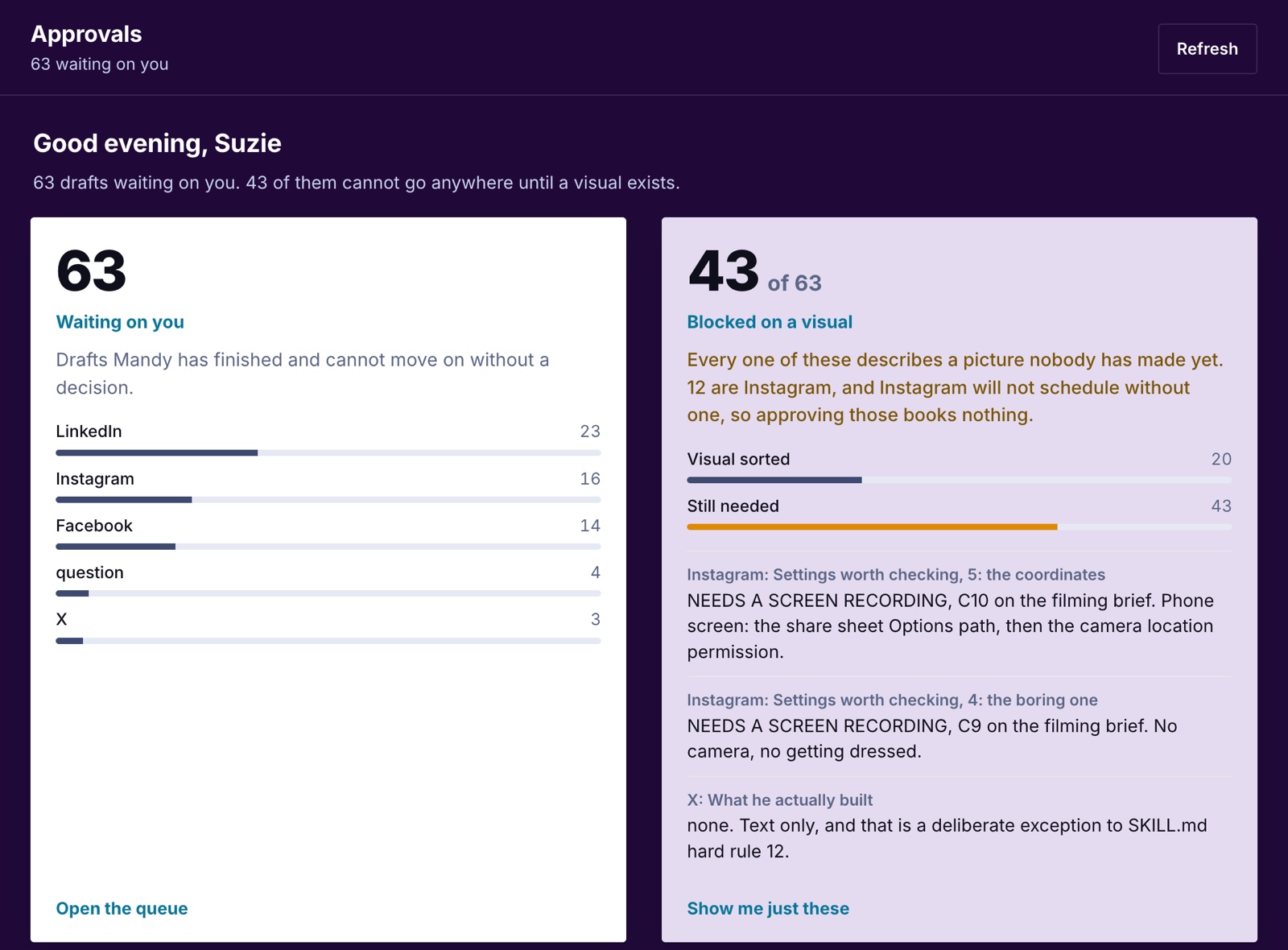
The queue of drafts sitting on my phone waiting for me to say yes, no, or fix this.
Forty-three can't go anywhere until a visual exists. Twelve are Instagram posts, and Instagram won't schedule without a picture.
Counted on the afternoon of 26 August 2026.
The easy story is that the AI drafts faster than I can approve, and I'm the slow part. That's not what's happening, and I want to be precise about it, because the easy story would let me off.
Three posts a day sounds like nothing. Then you open them. One doesn't sound like me. One wants me filming in a rural setting and I'm in the middle of the city that week. One needs twenty minutes in Canva that I haven't got today.
I could approve all sixty-three this afternoon. I'm not going to, because a third of them aren't good enough to go out with my name on them.
My standards didn't move when the drafting got faster. Volume went up and the bar stayed exactly where it was, and the gap between those two things is what a queue of 63 looks like.
Underneath that there's a slower thing, and it's the real one. I need time to let go, and I'm not there yet.
Here's why that takes longer than it would with a person. An employee improves day on day. AI can lose its mind any day. An update lands, something steps backwards, and suddenly your voice doesn't sound quite like your voice anymore, so you go back and fix what you already fixed.
Which is why some days it feels like Fred Flintstone. Legs going flat out under the car, catapulting forward on the technology, and going absolutely nowhere at the same time.
The routines, and where they came from
Not one of these was designed. Every one started as a problem I solved once, sitting at the computer with the AI working it out alongside me. Then I asked it to turn the solution into a routine, so I never had to solve it again.
None of that is clever. Every one is a small dull job.
What matters is the timing. Four in the morning, I'm asleep. Monday morning, I'm driving to a shoot. Not one of those jobs needs me in the room, and that's the entire point of putting them there.
And here's what it's actually bought me, which is not what I expected either.
I'm not on the computer more. The gaps between clients have gone from dead to being the most productive part of my week. Forty minutes between a training session and lunch used to be worth nothing. Now I open one page and the drafting, the chasing and the sorting have already happened. What's left is the part that needs a person.
Which is why I said this out loud last week and meant it:
"For the first time in seven years I feel like I'm really controlling the business instead of the business controlling me."
Seven years. I started this business in 2019.
Where you'd start
Not with the whole thing mapped out. You'd never finish it, and I know, because I tried.
Start with one question.
What in your business takes the most time at the computer, and away from the business itself?
That's where you start. Not the most impressive job. Not the most technical. The one that keeps eating the part of the week you'd rather spend on the actual work.
Hand over that one. It doesn't need to be perfect. Mine still isn't.
More from the blog
Sources and tools
- Dario Amodei, "The Urgency of Interpretability", April 2025. Source for the quote on not understanding how AI works, checked verbatim against the page.
- The title is a nod to "Sisters Are Doin' It for Themselves", Eurythmics with Aretha Franklin, released 21 October 1985 on RCA, written by Annie Lennox and David A. Stewart.
Tools named above: Trello, card-and-column task board. Notion, workspace app combining documents with linked databases. Microsoft Outlook, email and calendar. Adobe Premiere Pro, video editing software. Anthropic, the American AI company that makes Claude.
Disclosure: Claude is an Anthropic product and is the tool this system is built on. Nobody paid for its inclusion here. It is named because it is what I actually use, and the article would be misleading without naming it.