
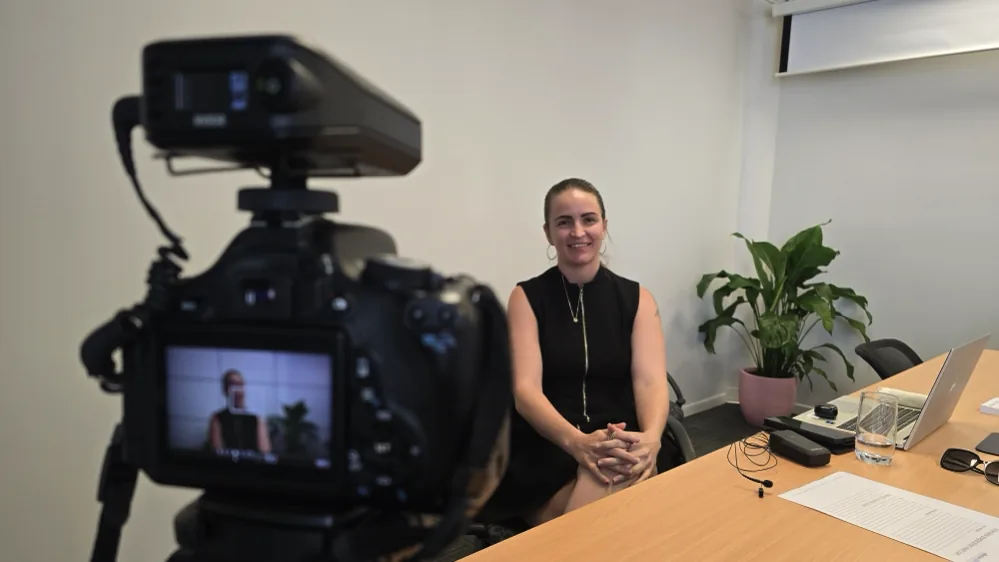
Training and instructional videos are fantastic tools for organisations of all sizes across a wide range of industries. They offer a cost-effective and efficient way to train employees on topics such as product knowledge, safety protocols and customer service, and they can add real value for clients and other stakeholders. Take CPR videos, for example. They are hugely popular and can save lives by educating a wide section of the population.
Benefits for business
So, what makes a training video effective, and what is the real benefit of recording your training sessions or scripted videos?
Consistency. One of the best things about a training video is that it gives everyone a consistent learning experience. With a video, everyone gets the same information in the same way, so there are no discrepancies or misunderstandings. This is particularly useful for businesses with multiple locations, or remote employees who may not get the chance to attend in-person training.
Convenience. Training videos are wonderfully convenient. They can be accessed at any time and from any location, which makes them ideal for companies with a global presence or for people who work remotely. Staff can watch online and on-demand, reviewing the material whenever they need to, which improves retention and knowledge transfer.
Cost. A training video is a cost-effective solution for any business looking to reduce training costs. Traditional in-person sessions can be expensive and time-consuming, particularly for a large workforce. A video, on the other hand, can be created once and used again and again, making it a budget-friendly option.
Company culture. Training videos are also a great way to lift employee engagement and satisfaction. By giving people a flexible, on-demand way to learn, you show that you value their time and effort. That can lead to better morale, motivation and productivity, which ultimately benefits the whole business.
Good sound is just as important as good visuals. Get both right and your audience stays with you.
How do you create good training content?
With a hands-on training workshop, or a bit of digging online, you can learn to plan, film and edit training and instructional videos that engage and educate your audience, and show that you are an authority in your field. To make sure your videos land, though, it pays to plan and prepare properly. So here is what goes into making a training video.
Determine the objective
Start by defining the objective of your training video. What do you want your audience to learn? What are the key messages you want to get across? A clear objective keeps you focused right through planning and production.
Create a script
Once you have your objective, write a script that outlines what you will cover. A script is a great way to make sure you hit all the key points and keep your video on track.
Plan your visuals
Think about the visuals you will use. Consider images, graphics or animations to help illustrate your points. You can create these yourself or use stock images or footage.
Consider your presentation to camera
If you plan on presenting to the camera, take some time to prepare. Practise your delivery, make sure you are speaking clearly, and try to hold good eye contact.
Think about lighting
Lighting is crucial for making your video look professional. Try to film in a well-lit area and avoid harsh shadows or direct sunlight. If you can, use softbox lights or other lighting gear to create a more polished look.
Ensure quality sound
Good sound is just as important as good visuals. Invest in a decent microphone so your audio is clear and easy to follow. Be mindful of background noise, too, and film in a quiet environment.
Learn to edit
Once you have your footage, it is time to edit. Editing can make a big difference to the final look and feel of your video. Use video editing software, such as Premiere, to trim your footage, add transitions, and bring in your visuals and audio.
Add music and sound effects
Music and sound effects can help create a more engaging video. Be mindful of copyright, and use royalty-free music and effects that complement your content.
Incorporate interactivity
Consider adding interactive elements, such as quizzes, to complement your training video and make it more engaging and memorable.
Test and refine
Finally, test your video with a small group and get their feedback. Use that feedback to refine it and make any adjustments before releasing it to a wider audience.
Tips for creating a successful training video
- Define the purpose of the video and the intended audience. This helps you create something tailored to their needs.
- Use a clear, concise script that is easy to understand. Avoid technical terms or complex language that may confuse your audience.
- Use visuals such as slides, images or clips to enhance the content and engage your audience.
- Use good-quality equipment to record. Make sure the lighting and sound are high quality so your audience can see and hear you clearly.
- Keep the length in mind. Attention tends to drop after about six minutes, so aim to keep each video short, and break a bigger topic into a few focused clips rather than one long one.
- Edit the video so it flows smoothly and stays engaging. Use text overlays and music to lift it where appropriate.
- Review the video and make any changes before finalising it. Ask someone else to review it to be sure it is high quality.
- Promote the video to your target audience. Share it on your website and social media channels so it reaches as many people as possible.
Creating a training video takes careful planning and execution. Identify the topic, write the script, prepare the visuals, film it, edit it, then review and finalise. Follow those steps and you can create a high-quality training video that engages and educates your audience.
Thinking about your own training videos?
Whether you want to learn to make your own training videos or hand the whole thing over to us, we can help you find the right first step. No pressure, just a friendly chat.
Have a chat